n8n and Postmark: Send Transactional Email Without a Postmark Node (2026)
n8n ships a Postmark trigger but no Postmark send node. Send with the HTTP Request node under the stored Postmark credential, and keep the error codes you need.
Practical n8n guides with test versions and results
Practical n8n tutorials, ready-to-use workflow templates, and AI-agent automation guides. Self-hosting, integrations, and real-world recipes.
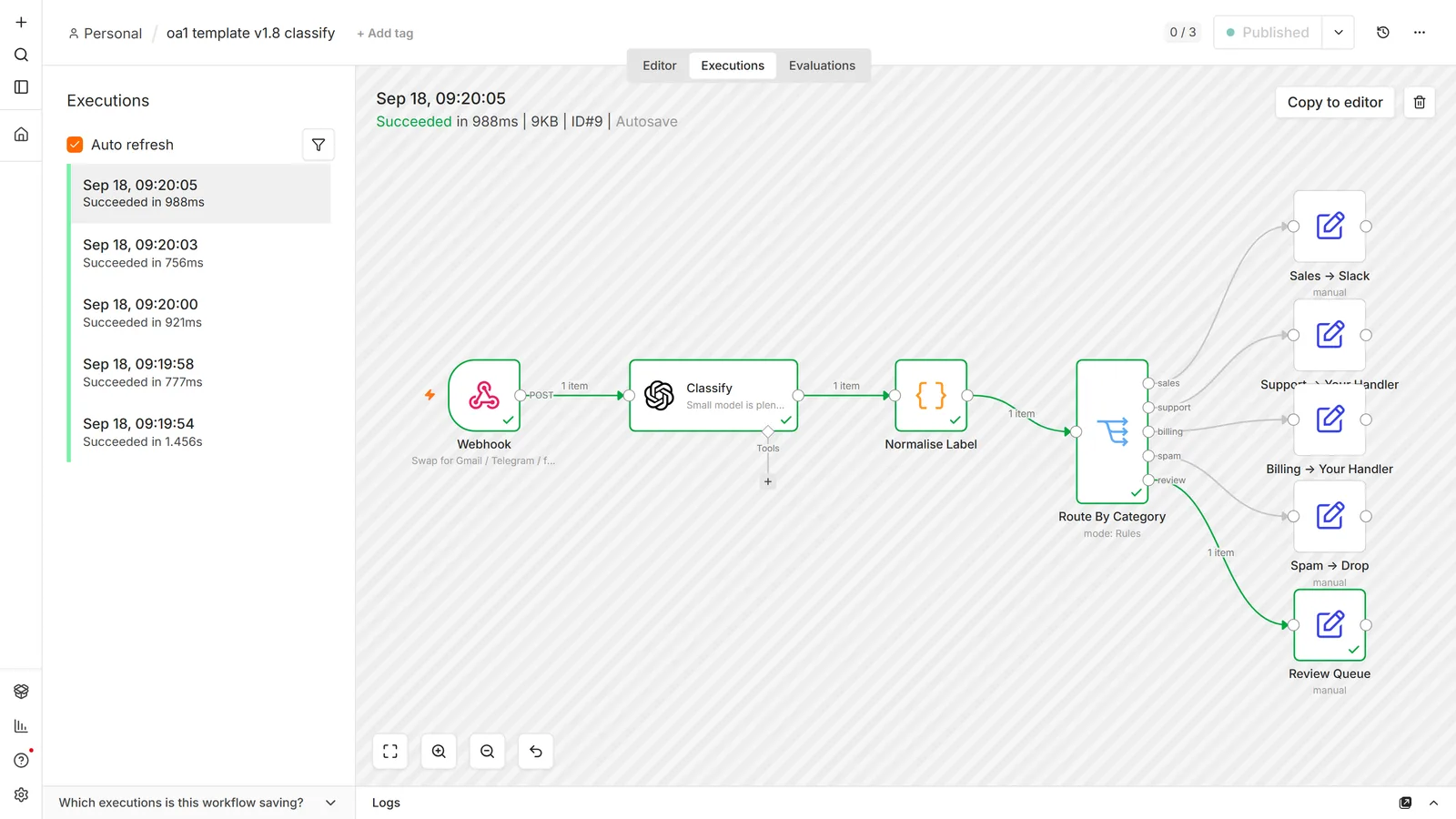
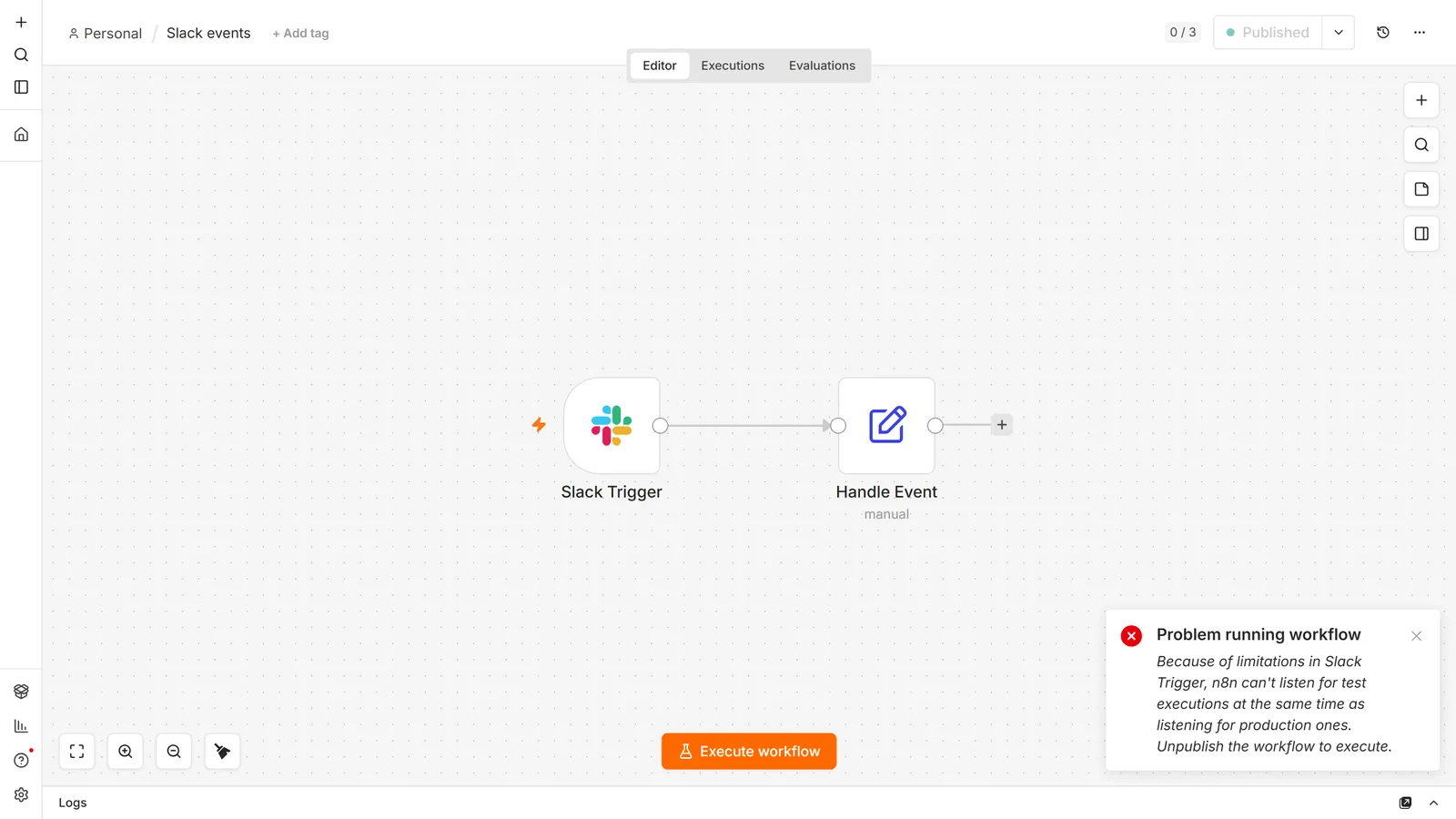
other and fell through to Review.Because that is the part the documentation leaves out. Below is n8n refusing to test-run a published Slack workflow — a real limit, with a real message, that appears nowhere in the docs. We found it by trying it, and now it's in the Slack guide instead of costing you an afternoon.
The same rule applies to every article here: how these get written, and how the site makes money.
For a single classification or extraction call, start with OpenAI integration. Use the chain and parser guide to understand structured output. If the model needs to choose tools, read the agent guide.
For answers grounded in your documents, follow the RAG walkthrough. For connecting tools over MCP, first distinguish the three MCP features.
Start with webhook requests and responses, then choose a destination: spreadsheet rows, Notion pages, or transactional email.
Use Slack or Telegram for notifications. If an expected run never appears, follow the trigger troubleshooting sequence before adding retries.
New to n8n? Build your first workflow before connecting a production service.
n8n ships a Postmark trigger but no Postmark send node. Send with the HTTP Request node under the stored Postmark credential, and keep the error codes you need.
Compare n8n alternatives by hosting, licence, workflow style and migration effort. An independent guide to deciding whether to switch or change your setup.
n8n MCP means four things: n8n's own MCP server, two MCP nodes, and the community n8n-mcp. Which you need, a tested n8n-mcp setup, and what breaks.
We checked five error-handling signals in 2,030 representatives of grouped public n8n files. Download the data and review the method and limitations.
n8n's licence permits client work but forbids reselling n8n. What decides it is whose instance runs the workflow and whose credentials it uses.
The Notion node changed: Data Source is its own resource and Database is read-only. The current model, page content vs properties, and the duplicate trap.
What n8n is, what it is used for, and how it actually works: items, nodes, triggers and expressions, plus your first real workflow built properly.
Zapier bills per step, n8n bills per workflow run. That single difference decides your bill. Here is the worked math, current prices, and where each one wins.
What LangChain actually is inside n8n: chains vs agents, the Basic LLM Chain, output parsers, and why the famous template-brace fix is now wrong.
Build an n8n RAG chatbot that works: ingest documents into a vector store, wire embeddings, retrieve real context, and avoid the silent failure modes.
The half of n8n webhooks no tutorial covers: when to respond, the three different failures all called CORS, and the localhost URL that survives a restart.
How an n8n AI agent works: Tools Agent anatomy, tool descriptions, $fromAI, session memory, and the retry problem that makes agents act twice.
n8n pricing: Cloud starts at €20/month billed annually; self-hosted Community is free with no execution limit. Full plan table, plus the limits nobody mentions.
Set up the n8n OpenAI integration: which of the two OpenAI nodes to use, the billing trap behind 429 errors, structured output, and controlling cost.
The four ways to import an n8n workflow, how to review a template before you run it, and what your own exports leak when you share them.
Set up the n8n Google Sheets integration properly: OAuth2 vs service accounts, append, read, and upsert rows, plus the gotchas that cost people hours.
Build Slack notification workflows in n8n: pick the right auth, avoid the token rotation trap, format readable alerts, and approve actions from inside Slack.
Build an n8n Telegram bot that sends and receives, and fix the one-webhook-per-bot rule that silently kills your live bot. Tested on n8n 2.33.7 with a real bot.
Why your n8n workflow is not triggering, in order of likelihood: publish state, test vs production URLs, timezones, webhook conflicts, and missed schedules.
Set up n8n in Docker: the run command flag by flag, a tested Docker Compose file with Postgres 18, volumes that persist, safe updates and fixes.
Set up self-hosted n8n with Docker, Postgres and HTTPS. Understand hosting responsibilities, backups and common errors before running your own instance.